Blue Team Labs Online - Suspended
Security Operations
Tags: Sublime Text 2 Thunderbird Browser OSINT T1566 T1566.001 T1566.002
Scenario A phishing email was sent to the SOC for analysis. Triage it and collect useful indicators for scoping and defensive activities.
Investigation Submission
Q1) To help us understand which employees have received this email, we can search in our email gateway for the subject line. What is the subject line of the email? (Format: Subject Line)
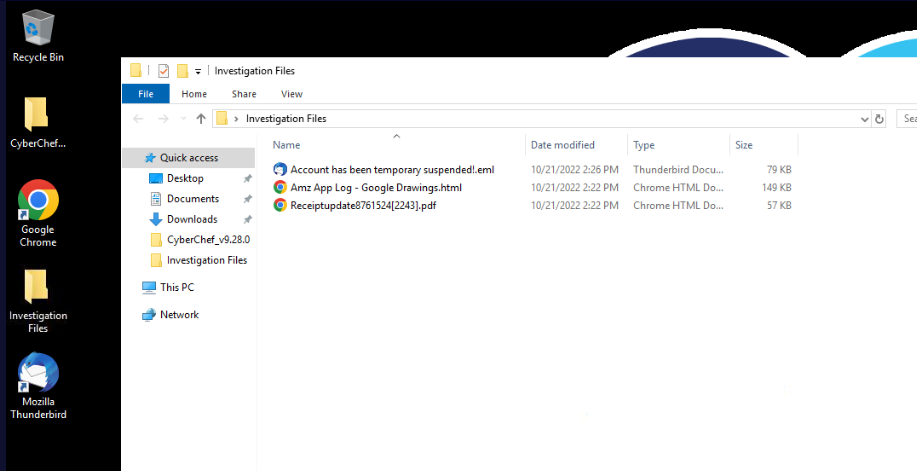
After deployed investigation machine, we can see that we have 3 files inside "Investigation Files" folder and we also have Mozilla Thunderbird to open eml file and CyberChef that will make my life easier since I can use it to read attachment files and use recipe to extract something from them.
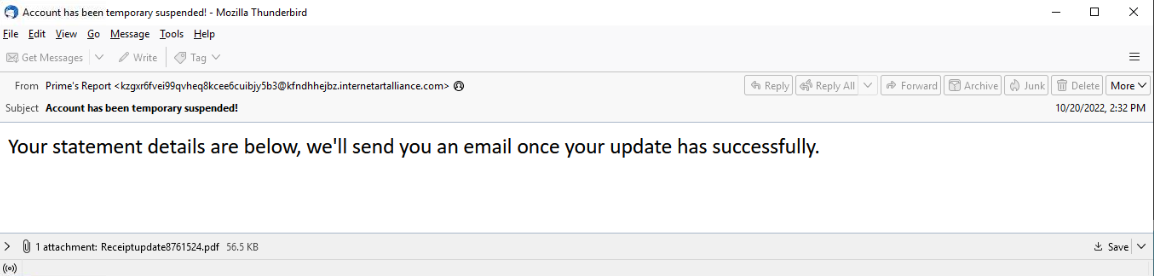
We could open eml file with CyberChef but lets open it with Thunderbird first then we will see that this is an typical phishing mail with an attachment temping user to download and open it.
Answer
Account has been temporary suspended!Q2) Alternatively, we can use the sending address to help scope this incident. What is the From name, and the mailbox used to send the email? (Format: From Name, mailbox@domain.tld)
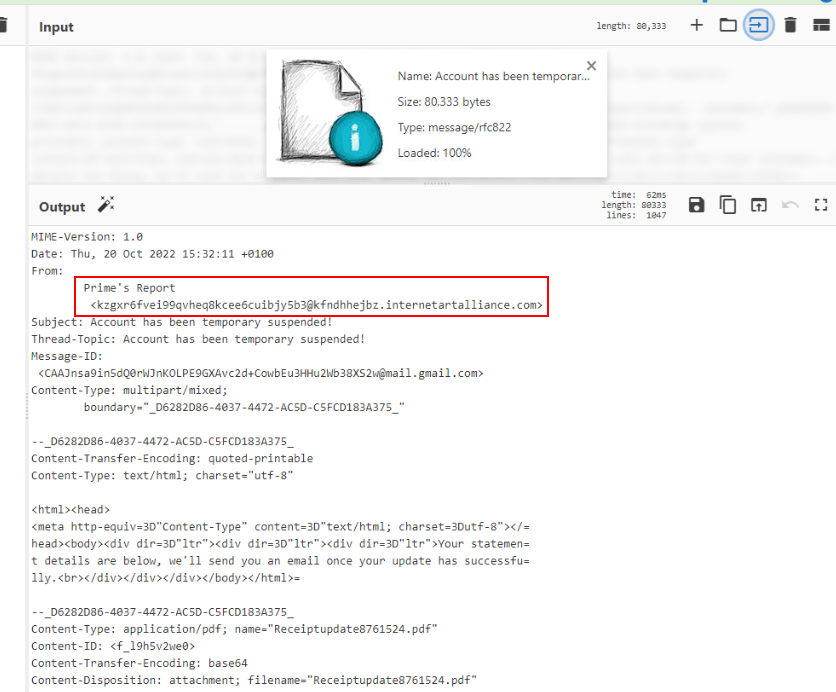
Time for CyberChef (or you can use built-in notepad) to open eml file then we can easily copy "From Name" and sender email address to submit.
Answer
Prime's Report, kzgxr6fvei99qvheq8kcee6cuibjy5b3@kfndhhejbz.internetartalliance.comQ3) Based on the email file when viewed in a text editor, what is the value of the Date property? (Format: Date Value)
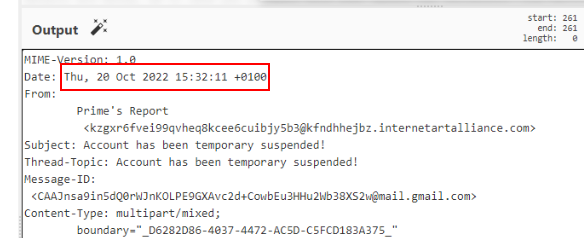 Copy date value from here.
Answer
Thu, 20 Oct 2022 15:32:11 +0100Q4) What is the filename of the attachment? We can see if any employees have downloaded the attachment by checking our EDR (Format: filename.ext)
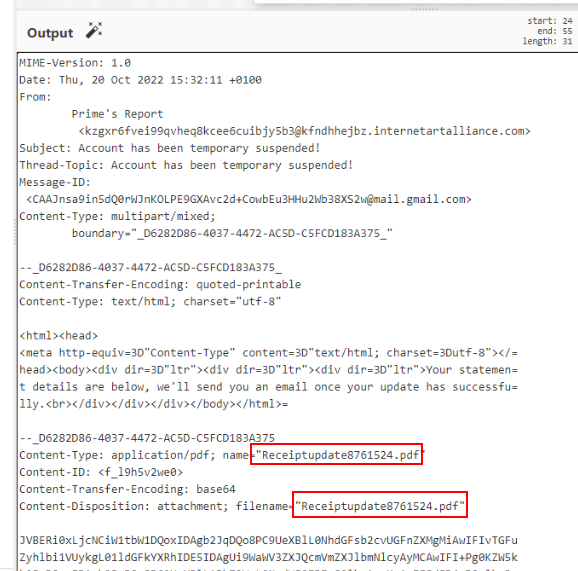 The name of an attachment, we already have one in "Investigation Files" folder so for the next question, we can just open it on CyberChef.
Answer
Receiptupdate8761524.pdfQ5) Extract the Base64 from the email file and use CyberChef to decode - this allows us to see the contents of the attached file. Search for http/https. What is the URL contained within the PDF? (Format: http/s://domain/tld/something)
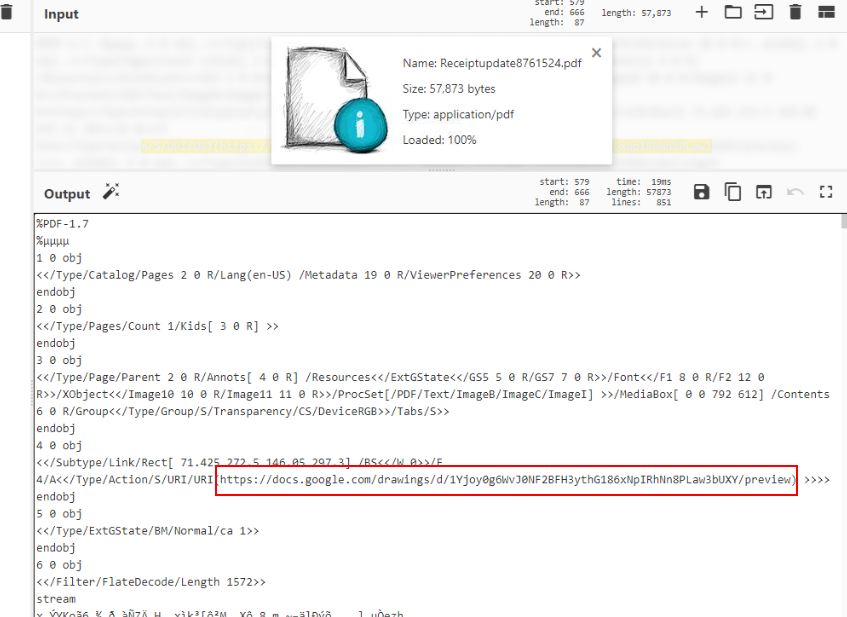
After opened it with CyberChef then we can see that it contains Google Drawing URL with action attribute meaning that after clicking something usually a button, user will be redirect to the URL linked to that button.
Answer
https://docs.google.com/drawings/d/1Yjoy0g6WvJ0NF2BFH3ythG186xNpIRhNn8PLaw3bUXY/previewQ6) Investigate the attached file (found in the Investigation Files folder on the Desktop). What is the SHA256 hash of this file? (Format: SHA256)
 CyberChef can't produce SHA256 hash so we have to use
 certutil or PowerShell to calculate file hash.
Answer
71b6e937013a6a961f3ba8a4fe942dc34a58b9ddebc79c628e1c0ad572b3755bQ7) Open the attached file. What company is this document imitating? (Format: Company Name)
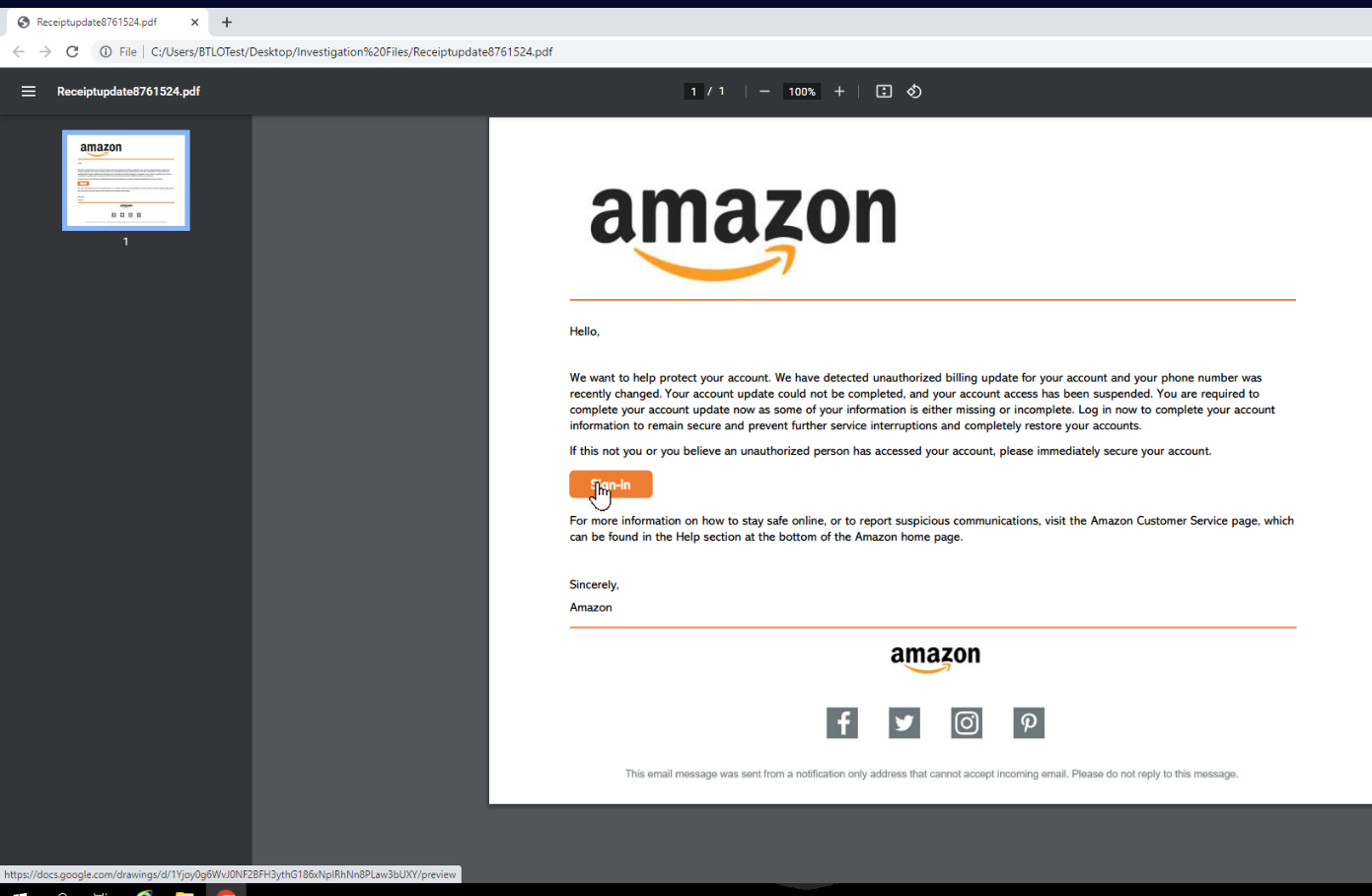
Lets open the attachment then you can see that it mimics Amazon to trick user to click URL we found on Q5.
Answer
AmazonQ8) To identify if any users have clicked the link within the file, we could search for network connections in our EDR or SIEM. Open the web page file associated with the URL destination. What is the full URL of the call-to-action button? (Format: Full URL)
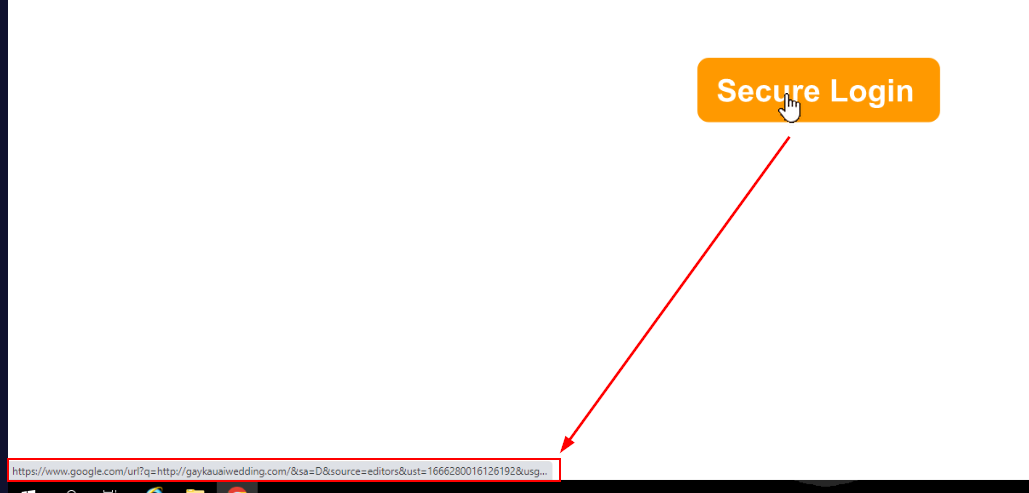
The url we found was already saved as HTML page for us to analyze so lets open it and hover your mouse to this button then you can see URL that will be redirected upon clicking this button (Google Redirect URL to malicious URL).
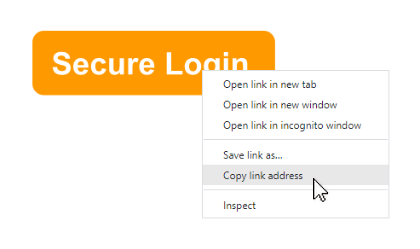 Right click at the button and copy link address to submit.
Answer
https://www.google.com/url?q=http://gaykauaiwedding.com/&sa=D&source=editors&ust=1666280016126192&usQ9) Click the button with the malicious URL and let it (try to) load in the browser (remember, we have no internet in our analysis machine - this is fine). What is the domain name of this site? (Format: domain.tld)
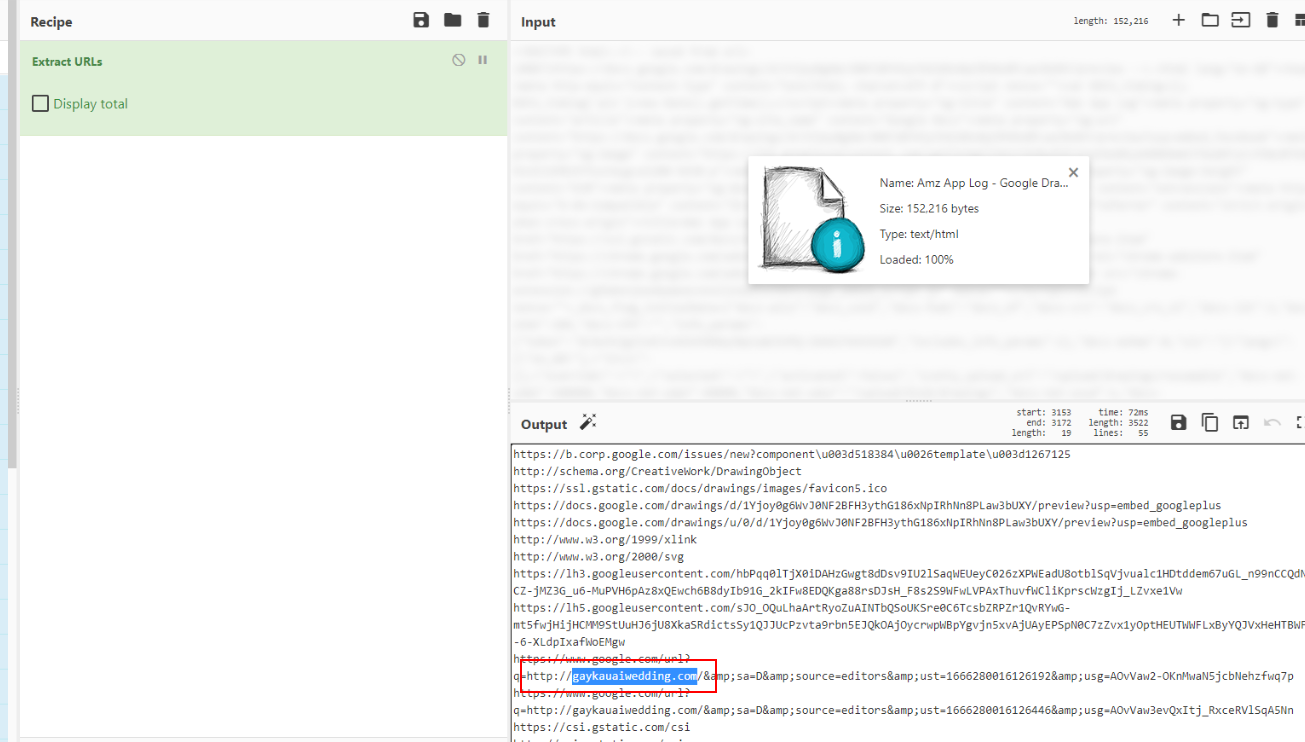
Alternative way to retrieve this url beside copy link address from Q8 is to use CyberChef with extract urls recipe right here.
Answer
gaykauaiwedding.com
Q10) Look at the Phishing technique on MITRE ATT&CK. Which two sub-techniques are used by this actor? (Format: TXXXX.XXX, TXXXX.XXX)
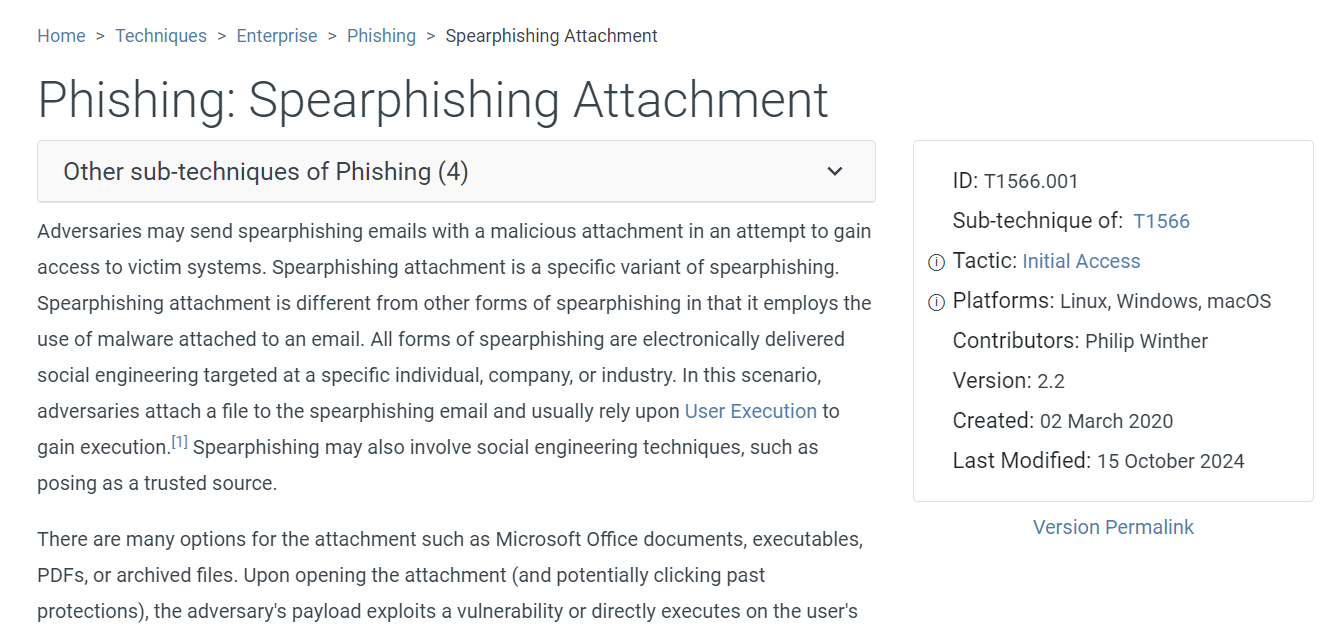
We know that this threat actor sent email with an attachment to trick user first so the first technique is Spearphishing Attachment
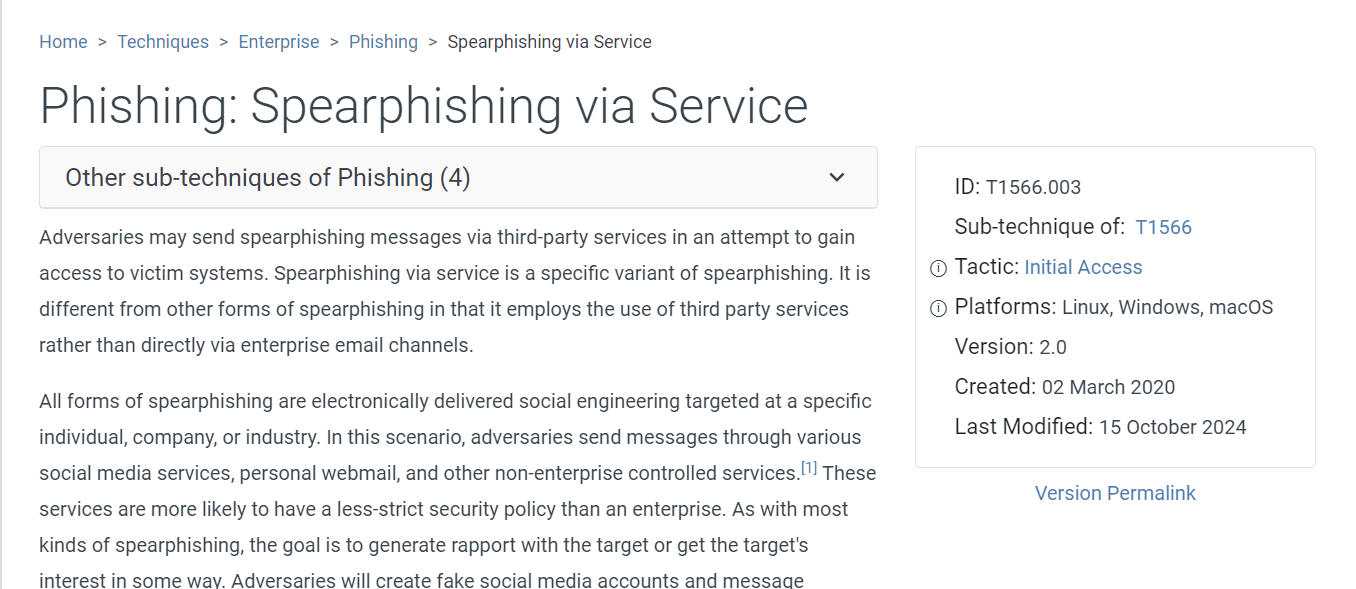 We also know that the attacker use Google Drawing with button to redirect user to malicious URL so the second technique is Spearphishing via Service
Answer
T1566.001, T1566.003 https://blueteamlabs.online/achievement/share/52929/126